
Can't be turned on
· Check the power connection.
· Check if the rear panel power switch is in the ON position.
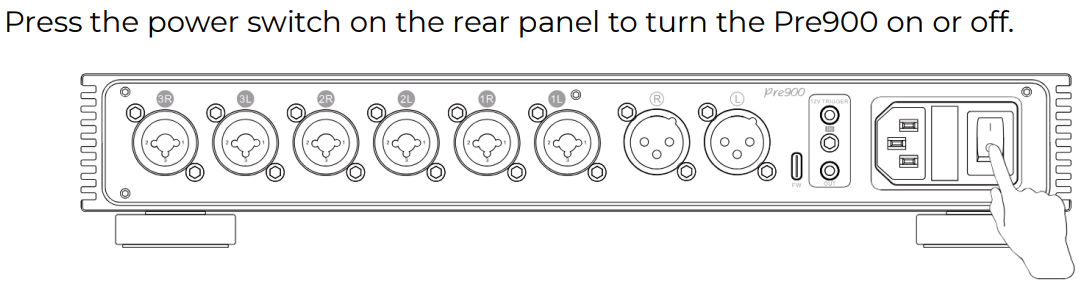
· If the fuse is blown, try using the spare fuse.

· Try with another power cable.
· Try with another power outlet.
· Please power off the device first, and then try entering DFU mode to update the firmware.
No sound
· The device did not power on. Check the power supply.
· Check that the proper input source is selected.
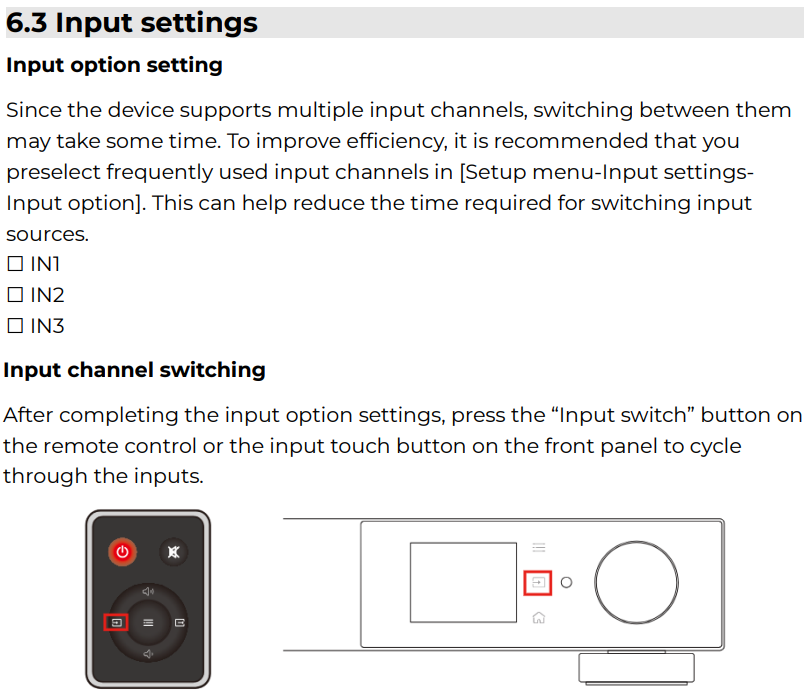
· Check the settings and connections for all devices.
· Insert connection cables all the way in.
· Check the volume of all devices and whether they are muted.
Noisy playback
· Try with other songs.
· Check to see if the problem is with the source, downstream equipment and cables.
One channel with noise/no output
Check to see if the problem is with the source, downstream equipment and cables. You can try swapping the left and right channel connections.
Channel imbalance
· Set to C (Balance) in [Setup Menu - Output settings - Channel balance].

· Check to see if the problem is with the source, downstream equipment and cables. You can try swapping the left and right channel connections.
Remote control not responding
· Enable remote control function in the setup menu first. [Setup Menu - Advance - Remote]
· Try to insert one CR2032 button cell. (not included)
· The RC23 remote control can be paired with different devices. To switch the device it controls, press and hold both the “Standby” and “Mute” buttons until the indicator light flashes twice.
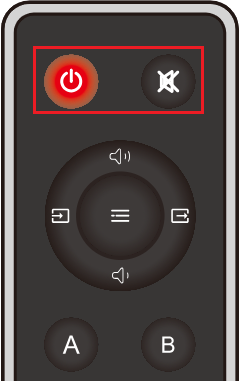
· If you have more than one Topping device, check that you are using the correct remote control.
· Please aim at the remote control receiver.
· Bring the remote control close to the device.
· Use your Android phone's camera to look at the transmitter at the top of the remote. If it doesn't blink when you press the remote button, the remote is defective.
Can RCA-to-XLR/TRS cables be used?
Use a matching cable type whenever possible. For example, for XLR connections, an XLR-to-XLR cable is recommended for better compatibility and a more stable connection.
1. XLR+TRS combo input: an unbalanced-to-balanced cable can be used for the upstream device, such as RCA-to-XLR or RCA-to-TRS. For RCA-to-XLR wiring:
RCA center pin → XLR Pin 2
RCA ground → XLR Pin 1
XLR Pin 1 and Pin 3 shorted
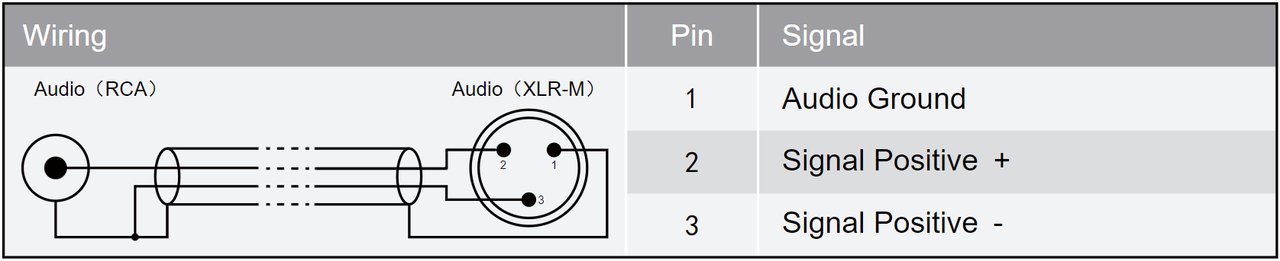
2. XLR balanced output: do not use a balanced-to-unbalanced cable for the downstream device, such as XLR-to-RCA, as this may cause abnormal sound.
Clicking sound when turning the knob
This is the normal operating sound of the internal relay-based volume control switching steps. If the unit only makes a clicking sound while adjusting the volume and returns to normal afterward, there is generally no need for concern. If the headphones also produce obvious popping, continuous noise, or any abnormal behavior that remains after adjustment stops, please refer to the “Noisy playback” section in the FAQ for further troubleshooting.
The usage of the FW port
For firmware upgrade only.
L/R HP DC abnormal
Abnormal DC detected in the left/right channel. Please restart the unit with no input or output connected. If the issue still cannot be resolved, the unit may be faulty.
DC 5V abnormal
The 5V DC voltage may be abnormal. Please restart the unit with no input or output connected. If the issue still cannot be resolved, the unit may be faulty.
PL/PR/PNL/PNR voltage low/high
The positive/negative supply voltage may be abnormal. Please restart the unit with no input or output connected. If the issue still cannot be resolved, the unit may be faulty.
File size large / Firmware damage / Topping other firmware / Unknown file / Update failed / No firmware
· The firmware package downloaded from the official website must be extracted first. Follow the firmware upgrade instructions and copy the extracted .Topping firmware file to a USB drive.
· Make sure to upgrade with the correct firmware for your model. Do not use firmware intended for other products.
· Do not disconnect or interrupt the process during the upgrade.
· Try again using a different USB cable, USB port, or computer.


