
Can't be turned on
· Check the power adapter. Only connect the power adapter to a power outlet, not to the unit. If the LED on the adapter blinks or does not light up, the adapter is defective.
· Check the power connection.
No sound
· The device did not power on. Check LED and the power connection.
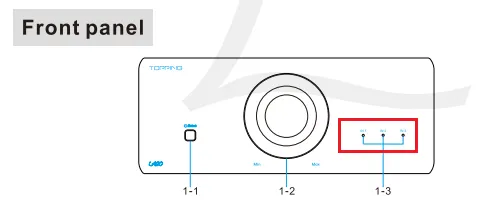
· Check that the proper input source is selected in the front panel.
· Check the connections for all devices.
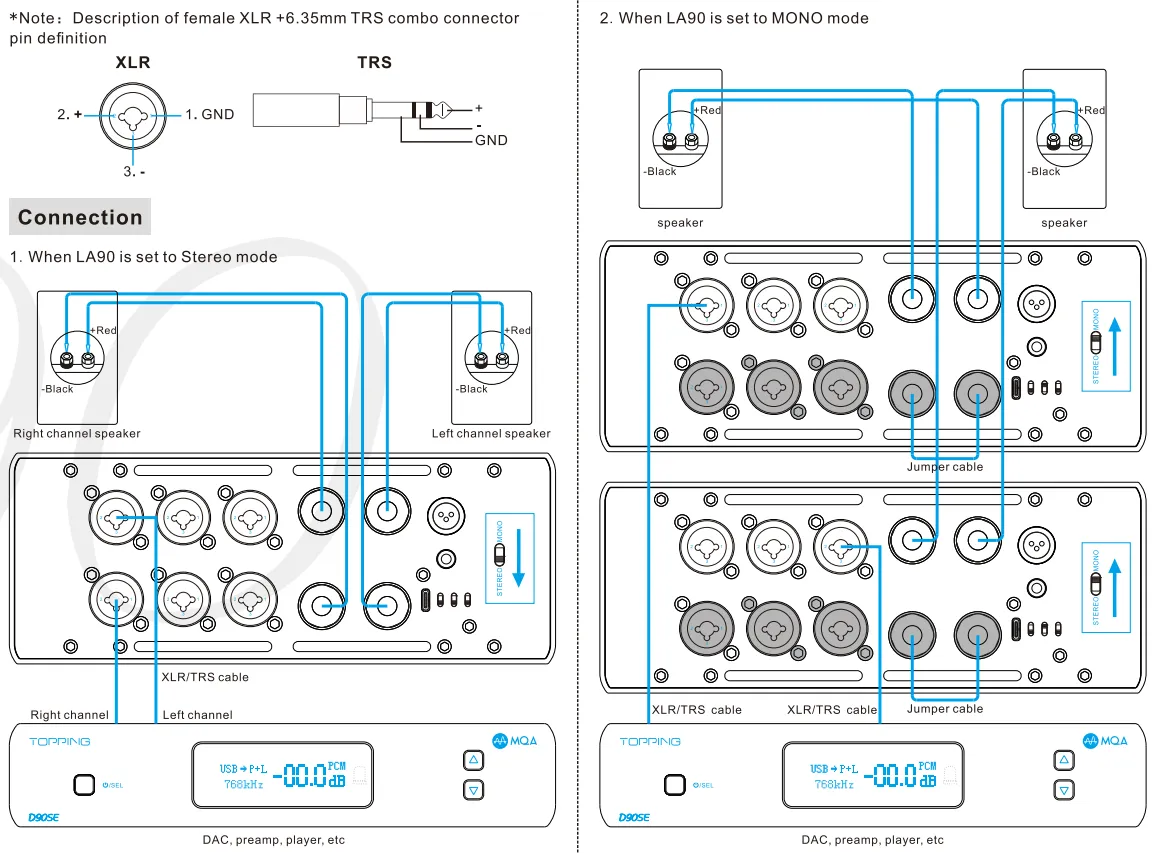
· Insert connection cables all the way in.
· Check the volume of all device.
Abnormal sound
· One channel’s positive output and negative output mayb be reversed, please check and correct it.
· The cables may not be connected correctly, check and reconnect them.
· Probably overloaded. Try turning down the volume.
· Check to see if the problem is with the source, downstream equipment and cables.
One channel with noise/no output
· Check to see if the problem is with the source, downstream equipment and cables. You can try swapping the left and right channel connections.
Channel imbalance
· Check to see if the problem is with the source, downstream equipment and cables. You can try swapping the left and right channel connections.
IN3 LED: 2 Blinks, Pause 1s (Repeat)
· Incorrect firmware version. Please re-flash the correct firmware.
IN3 LED: 3 or 4 Blinks, Pause 1s (Repeat)
· Firmware upgrade failed. Please re-flash the firmware.
IN1/IN2 LED: Blinks 1 time a second
Negative and positive voltage abnormal
· Probably overloaded. Try turning down the volume and then reboot the unit.
· Too low load impedance or short-circuit load
a, Check if the speaker cables are connected in place. (Note: when connecting the speaker cables, there can be no bare leakage of copper wire touching the metal enclosure.)
b, Check if you have followed the connections as per our instructions in user manual.
c, Check if the speaker cables are defective, try with other cables.
d, Check if the speakers are defective.
· Disconnect other devices and reboot. If the problem still persists, your unit may be defective. Please contact the store where you purchased it.
VERxx.TXT
· Show the current firmware version.
ERRFW.TXT
· Error firmware. Please re-flash the correct firmware.
LARGE.TXT
· Please re-flash the correct firmware. Try to reboot the computer or use another computer.
UNKOWN.TXT
· The file does not end with ".Topping". Please re-flash the correct firmware.
FAILED.TXT
· Firmware upgrade failed. Unplug and re-plug the power cable, and then flash the firmware again.
Can connect speakers with nominal impedance below 8 ohm in MONO mode?
· Yes, but there will be no increase in output power.


